Downloaded Maya 2011 last Sunday and have been working on Digital Tutor's Intro to Maya project each night since. The project is to model, texture, animate, and light a space ship from scratch. So far I've gotten through modeling and texturing (more details below).
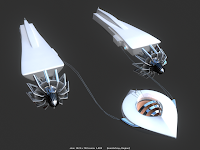
Here are images from my modeling process. I'm basically following what the demo is doing, but I've changed a lot of the shapes and made small modifications here and there. I thought I would have more opportunity to be creative, but the digital tutor doesn't describe what he will make, he just starts to make it so I'm usually working blindly. I'm okay with this, since it's my first project I'm more interested in learning the tools than creating something original.
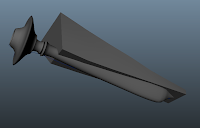
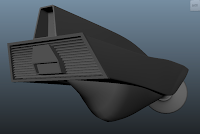
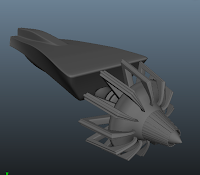
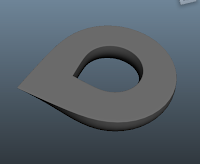
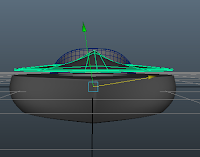
The modeling process hasn't been too difficult. The interface of Maya is definitely more complicated than I expected (so many menus!) I'm getting used to it, though. I've used a couple different methods of modeling (nurbs, polygons, subdiv) but I still have only a vague knowledge of what the difference is between them. I'm hoping that the next tutorial set I do (Intro to Modeling) will give me a stronger impression of what each type's value is. I also had a big hang-up when I was making the cab because the pivot on all the pieces somehow got off-rotation and I didn't figure out how to fix the problem until I was nearly done. I did figure it out, there was a button under the toolbox that I had pressed wrong (I think it was set to "object" instead of "world?")
I've also discovered that these tutorials probably take 3x to 4x longer than the actual video run-time because I have to watch, then figure out how to replicate the action. So for this video I've watched about 6 hours of footage this week, but probably spent at least 24 hours. Hopefully I'll speed up!
The next thing I did was texturing, which was a lot of fun. The tutorial called for a red car-paint finish with glossy gray accents, but I wanted to do a white plastic/chrome effect instead. It's not perfect, but I'm pretty satisfied with the results of the materials considering my elementary knowledge of the software and it's capabilities. I also patted myself on the back when I figured out how to bump-map the grid texture in the second image before the instructor got to that section.
I spent a lot more time than I should have messing around with the materials and rendering. The tutorial file provided a dome that has a picture of the sky wrapped around it, which is reflecting back into the chrome-y materials. I thought this was a neat effect and am looking forward to understanding more about lighting and reflections, which I'll get to next week. I'm also excited to do a bit of rigging & animation (even though I don't intend to go much farther on either of those topics for this particular independent study). I think it will give me a good basis for when I
do want to rig and animate later on.
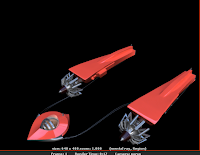
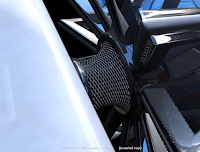


 I'm pretty satisfied with the lighting results that I got. I definitely chose a harder background to work with than the tutorial came with. My background has harder directional shadows plus some beautiful blue shadows and pink highlights and it was important for me to learn how to simulate this.